
Your computer name is a unique name that identifies your device on a network. You may need it when contacting IT support, connecting to a printer, or setting up remote access.
|
1 |
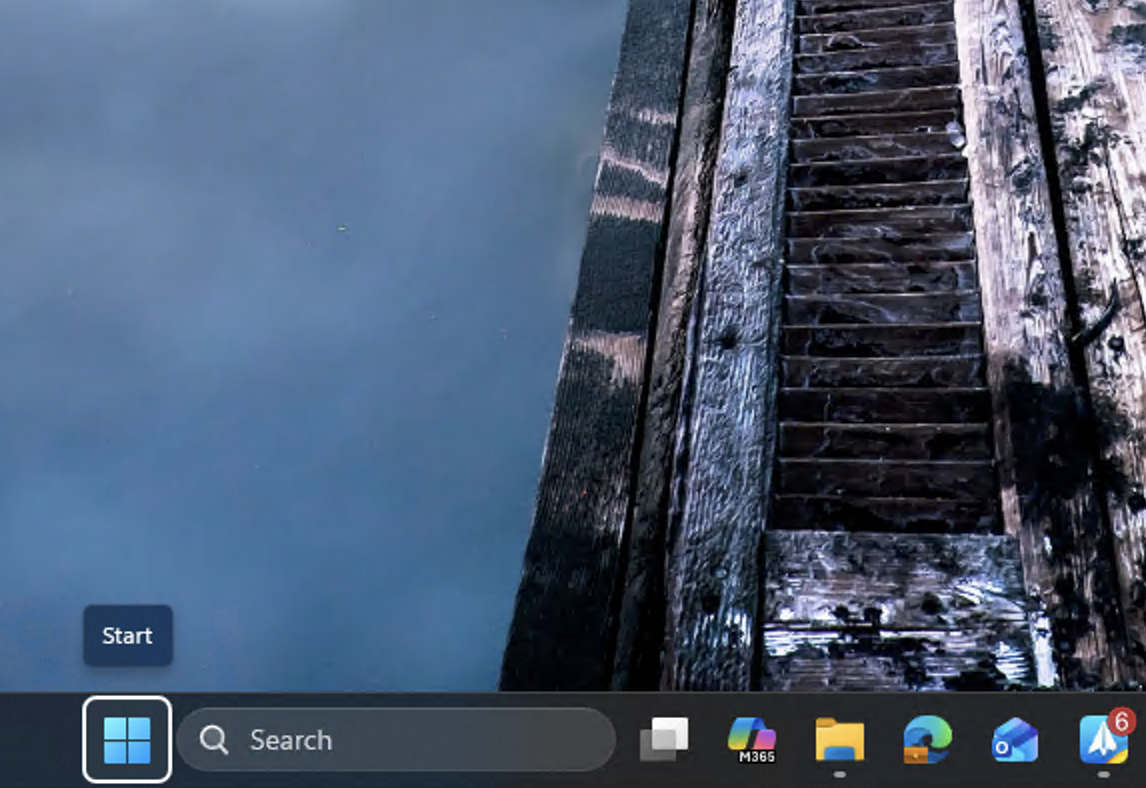
Right Click the Start menu
|
|
|
2 |
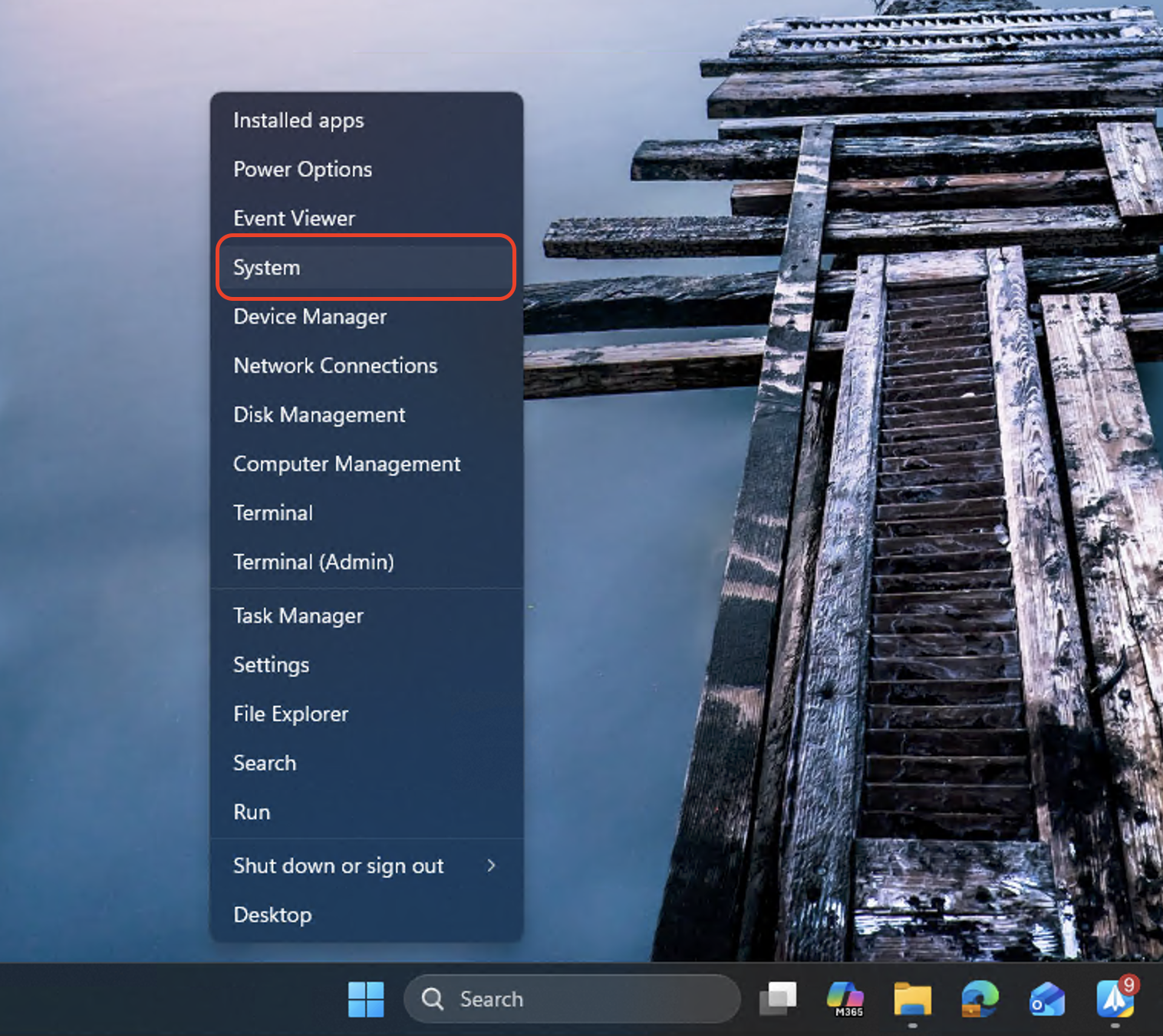
Click System. |
|
|
3 |
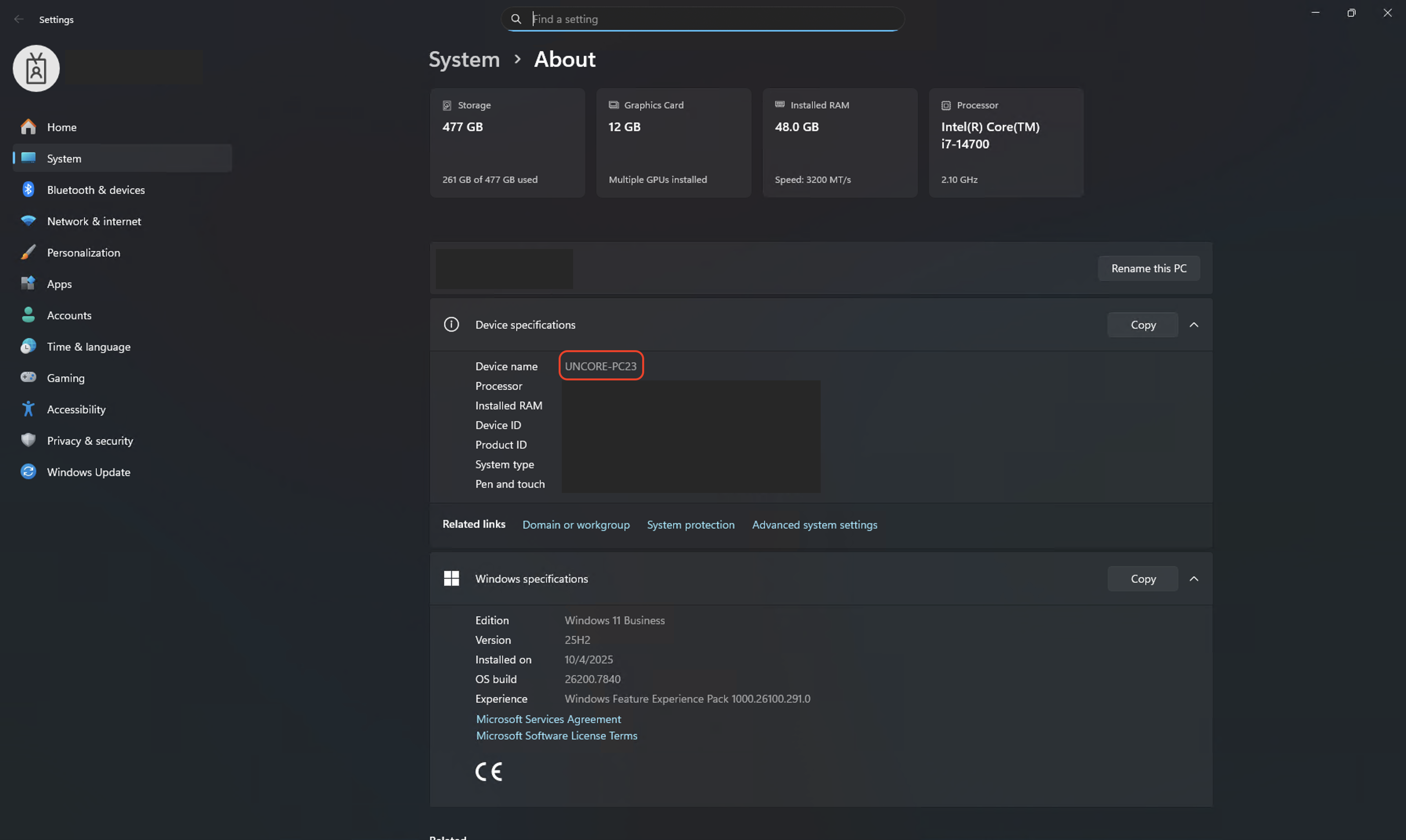
Your computer name is shown at the top next to Device name
|
|
Quick Alternative
Press Windows key + I to open Settings directly, then go to System → About.